
Accie OCR
Get started
Create an organization in Accie Accounts, pick an OCR plan (trial or account-only), sign in, then open the OCR workspace at ocr.accie.ai. When Accie Identity is enabled, OCR does not keep a separate password database.
1. Create an account
Start here (same pattern as marketing CTAs):
https://accounts.accie.ai/signup?product=ocr&sku=ocr_beta&intent=trial&country=INThe form title is Create your Accie organization. Fields on screen:
- Full name, work email, company / organization (all required)
- Country — the only enabled option was India (IN). Helper text: “Plans and tax follow enabled countries.”
- Organization size: 1–10, 11–50, 51–100, More than 100. Helper: “Self-serve is available for organizations up to 100 employees.”
- Password — helper: “At least 10 characters.”
- Product — CRM, Desk, OCR (OCR was selected from the query string)
- Plan radios: Account only (“Create the organization now. Try or buy from Billing after you sign in.”) and OCR Beta with a Trial badge
- Terms / Privacy checkbox, then Create account
- Also on screen: Continue with Google
On this capture, OCR Beta showed 1,000 pages · 5,120 MB · 14 days and sku ocr_beta. The OCR API GET /api/v1/plans listed the same sku with pages_included 1000 and storage_mb 10240. Treat Identity’s catalog (what signup showed) as the billing display — do not assume the two numbers are identical.
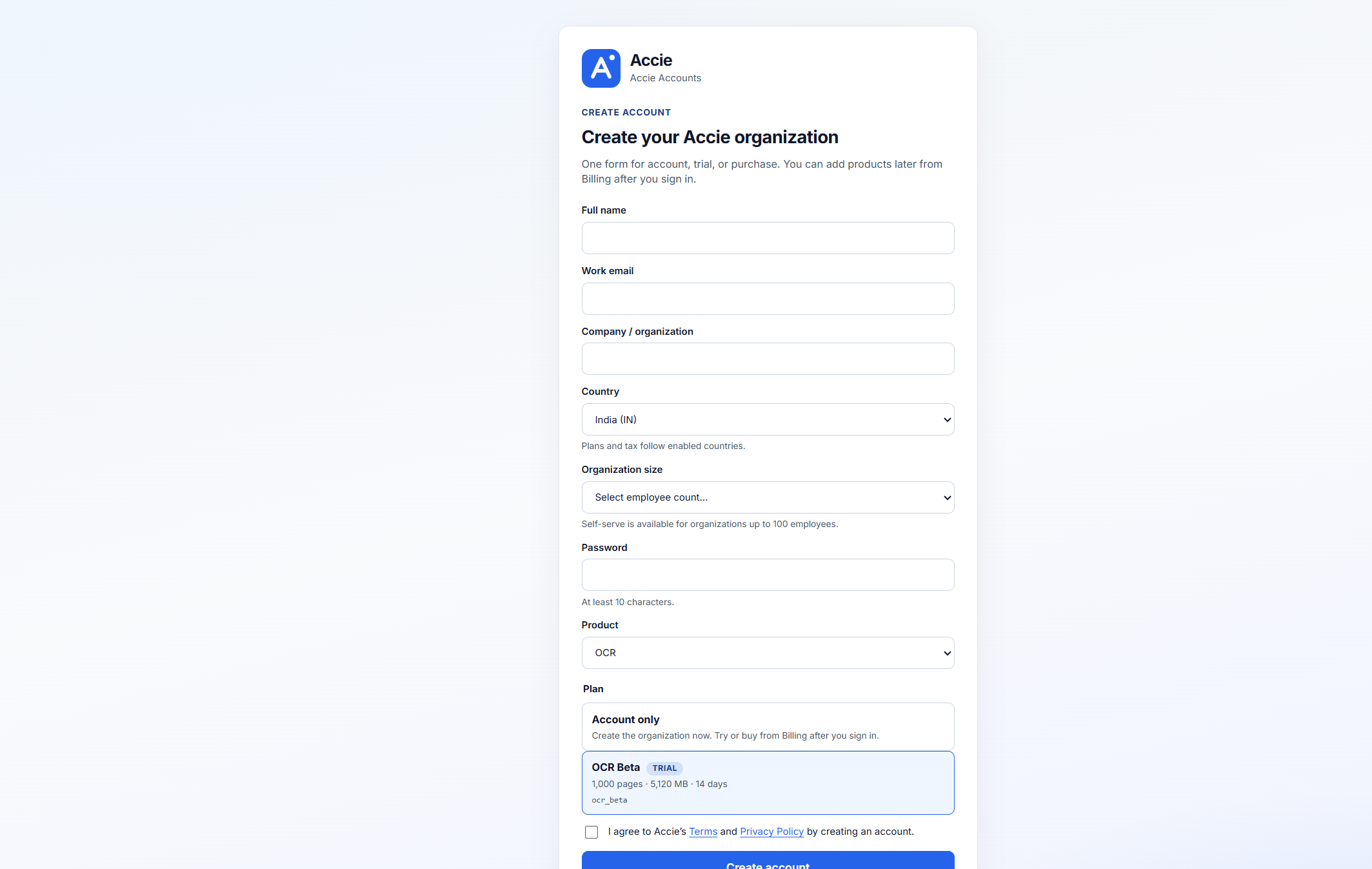
product=ocr and sku=ocr_beta. Country list showed India only.OCR POST /api/v1/auth/register with email/password returns HTTP 403 password_auth_disabled — “Password auth is disabled. Sign in with Accie Accounts.” Create the org on Accie Accounts, not on the OCR API.
2. Sign in
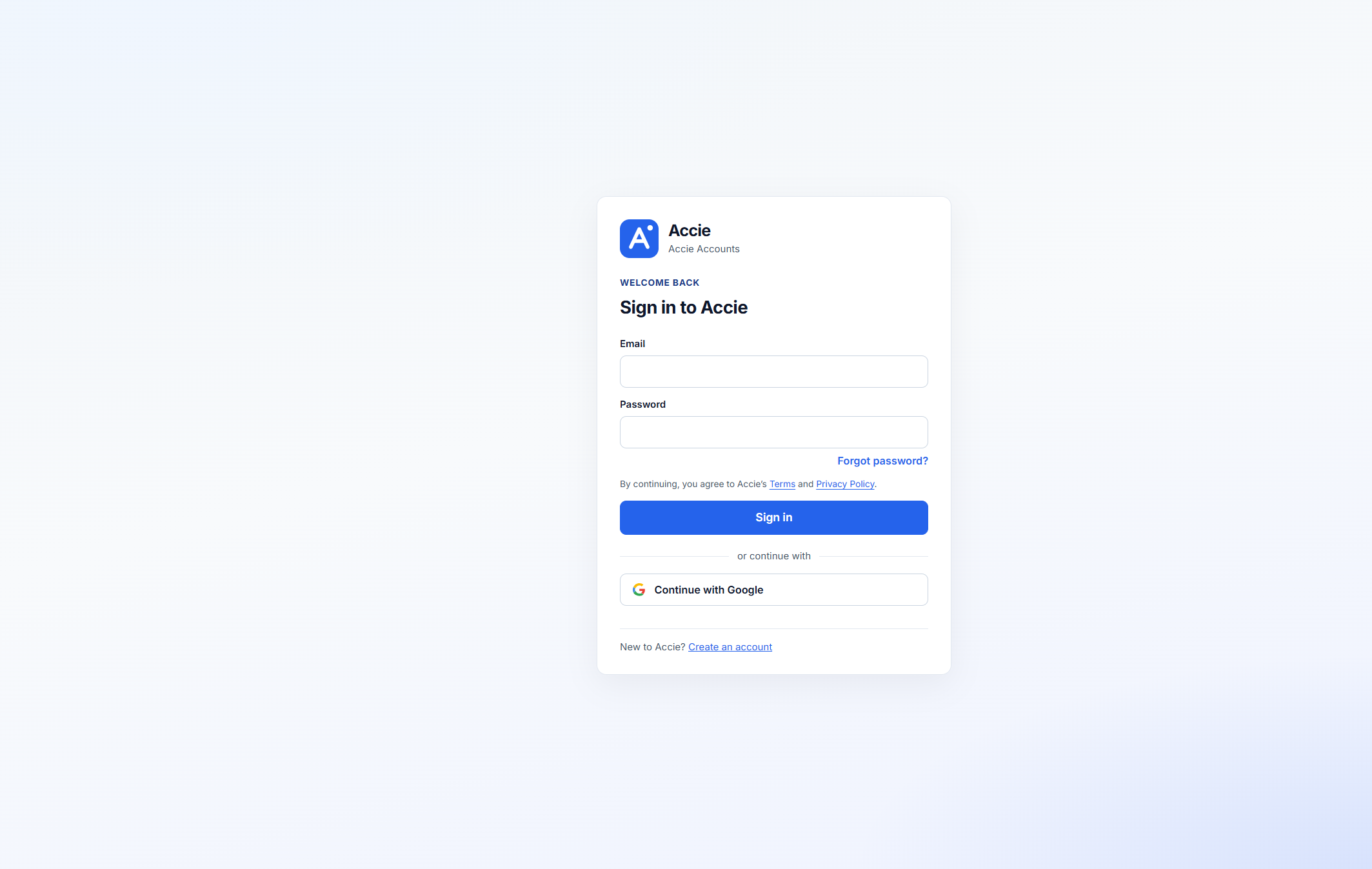
From signup, Sign in went to /login (with a returnTo pointing at billing checkout for the selected SKU). The settled screen:
- Heading: Sign in to Accie
- Email, Password, Forgot password?
- Terms / Privacy line, Sign in button
- Continue with Google
- Footer: New to Accie? Create an account
3. Subscribe / billing
Billing is not on the OCR app. Accie Accounts nav while signed out: Profile, Security, Organization, Access. Breadcrumb: Accounts › Billing.
Signed-out https://accounts.accie.ai/billing copy: “Sign in as an org admin or billing manager to view plans.” Signed-in marketing CTAs send existing users to https://accounts.accie.ai/billing?tab=checkout&sku=….
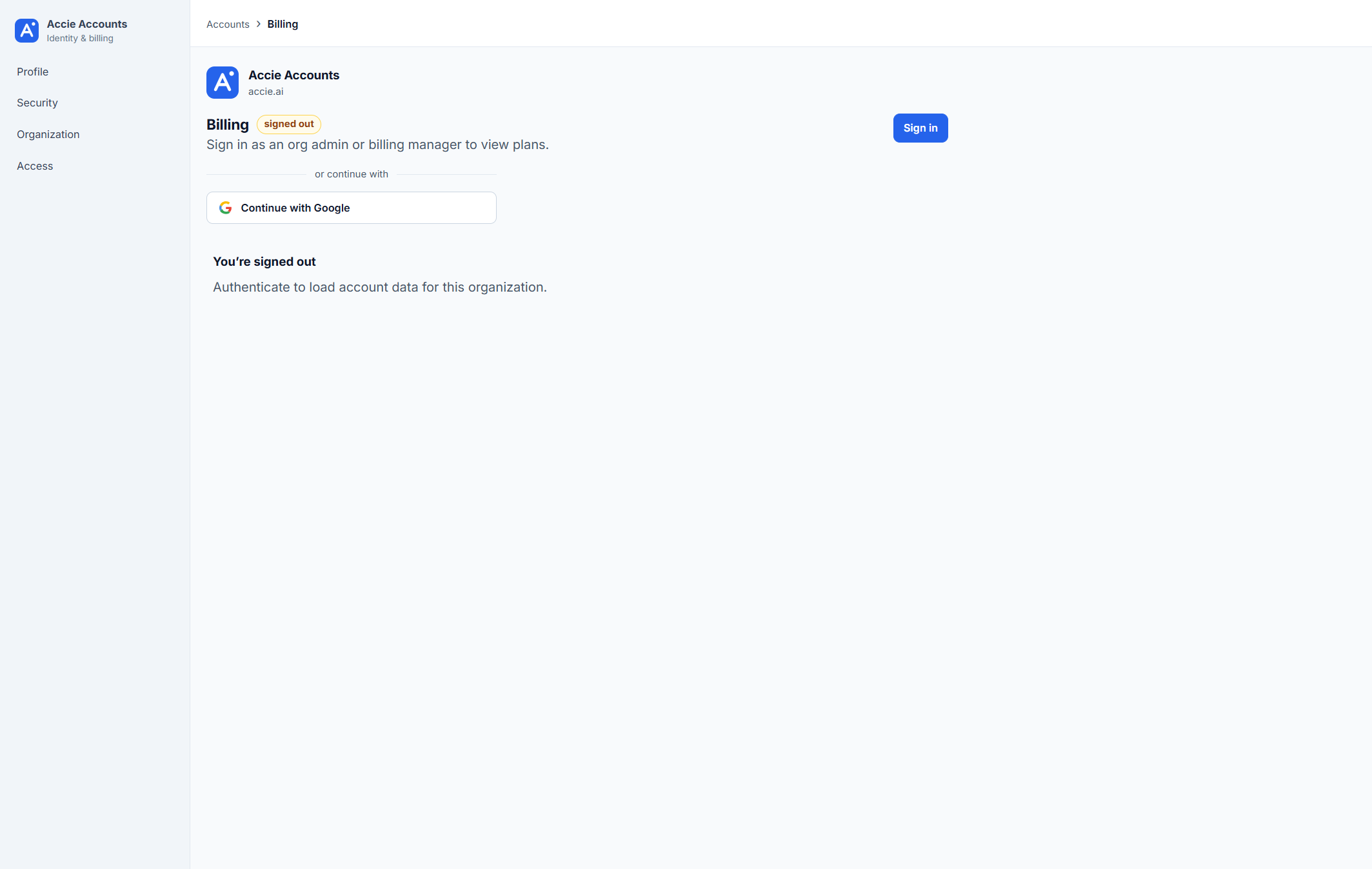
https://accounts.accie.ai/billing?tab=checkout&sku=….Paid SKUs on marketing still point at ocr_pro checkout. Confirm the live catalog in Accounts — do not invent prices here.
4. Open the OCR workspace
Open the workspace at https://ocr.accie.ai. With Identity enabled, OCR does not keep a normal email/password form. GET /api/v1/auth/bootstrap reports password_auth_enabled: false, accie_oidc: true, and accounts_portal_url pointing at Accie Accounts (https://accounts.accie.ai). The OIDC issuer is https://accounts.accie.ai/realms/accie.
If password auth is off, the OCR login screen is break-glass only — not a password form:
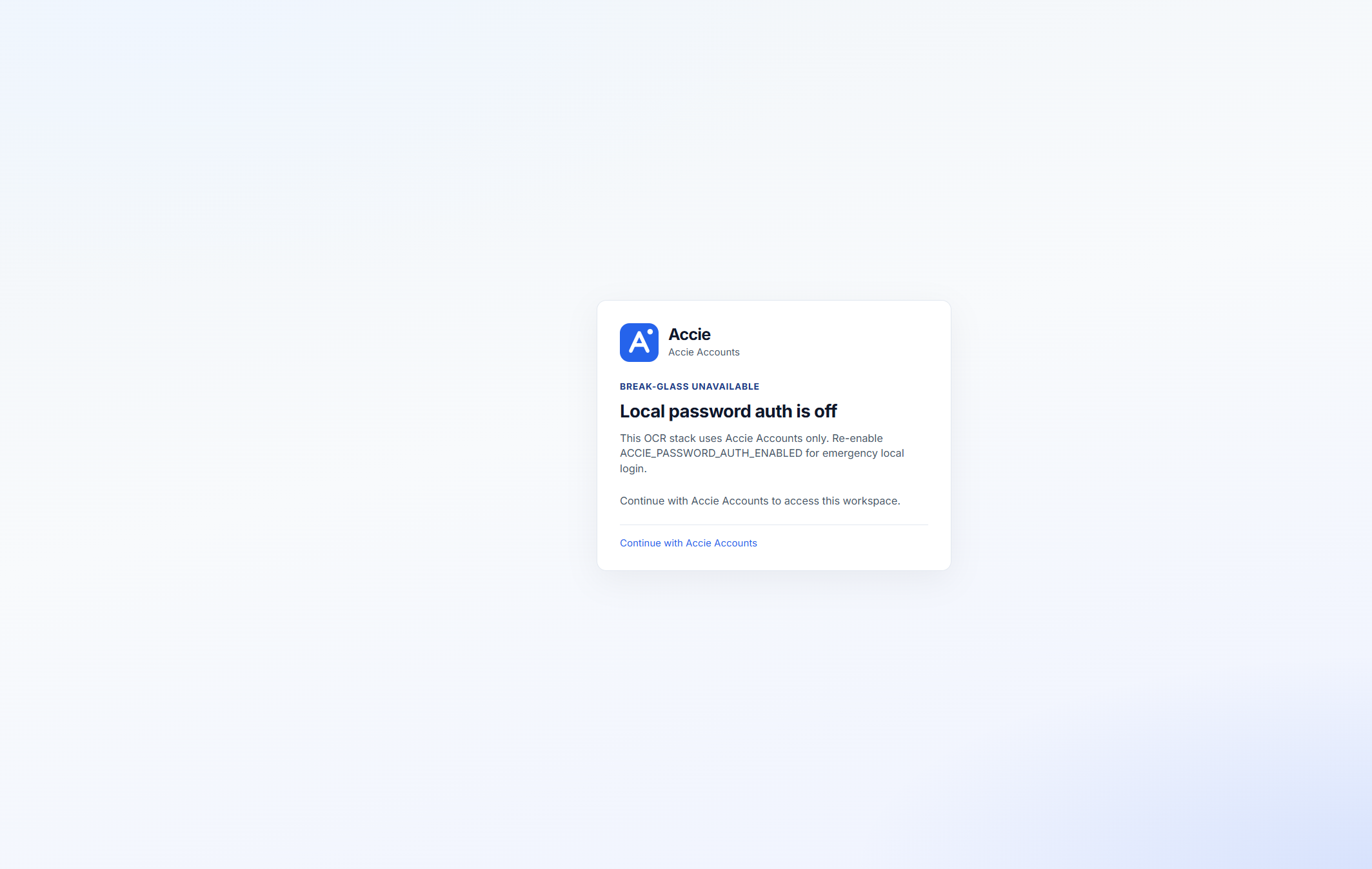
After Accie OIDC succeeds, the workspace lands on Jobs (/), with Upload, Batches, Templates, and Settings in the sidebar. Unauthenticated visits redirect to Accie Accounts login with an OCR return URL.